AI art generation has revolutionized digital art creation, but the difference between mediocre and stunning results lies in how you craft your prompts. Professional AI artists understand that effective prompt engineering is both an art and a science—requiring knowledge of artistic terminology, composition principles, and platform-specific techniques. This comprehensive guide reveals the exact prompt strategies that successful AI artists use to create breathtaking images, covering everything from basic structure to advanced techniques for Midjourney, DALL-E, Stable Diffusion, and other leading platforms. Whether you're creating photorealistic portraits, fantasy landscapes, abstract art, or commercial illustrations, these prompts will elevate your AI art to professional levels. Learn the foundational techniques in our guide on essential elements of an effective AI prompt.
The Anatomy of an Effective AI Art Prompt
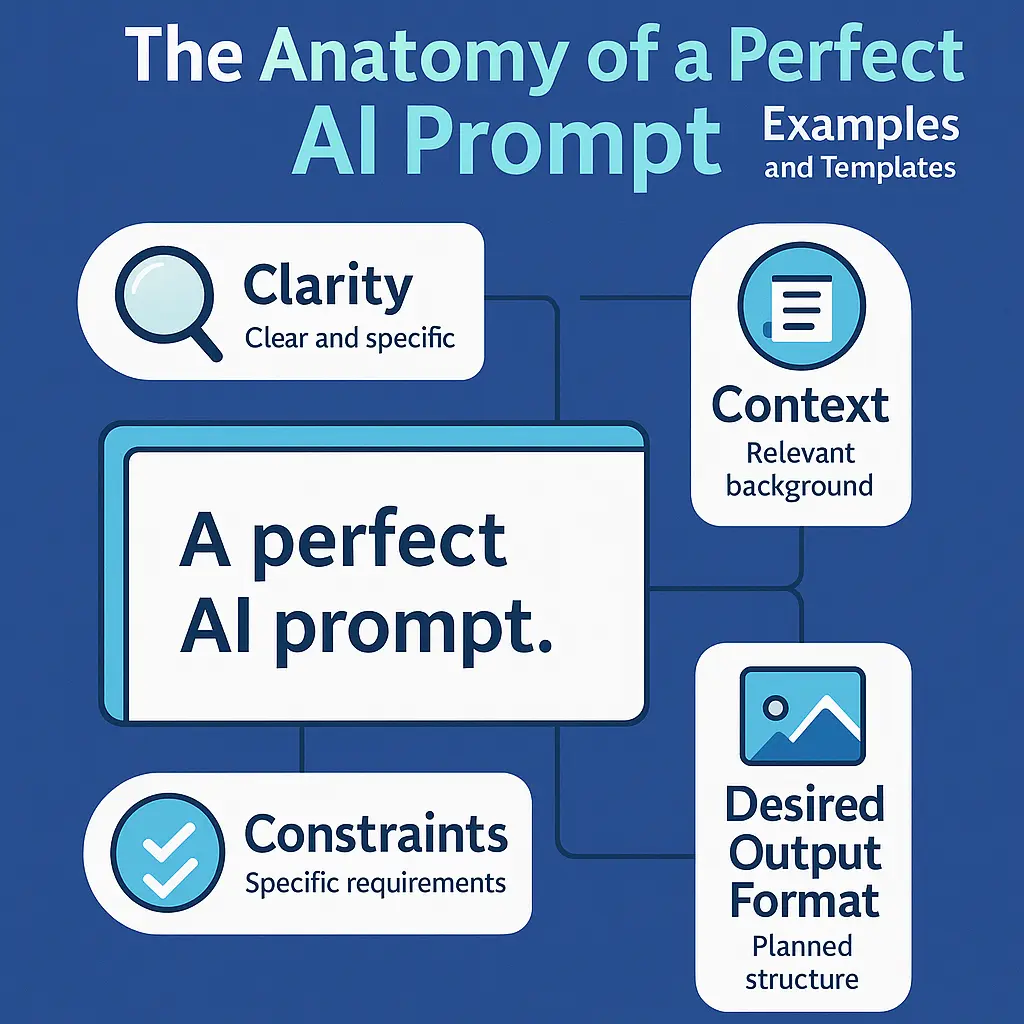
Understanding the structure of effective AI art prompts is the foundation of creating stunning images. A well-crafted prompt follows a logical hierarchy that guides the AI through your vision.
- Subject description: Start with a clear, detailed description of your main subject. Be specific about what you want to see.
- Style and medium: Specify the artistic style (photorealistic, digital art, oil painting, watercolor, etc.) and medium.
- Composition and framing: Describe the composition (close-up, wide shot, portrait, landscape orientation, rule of thirds, etc.).
- Lighting and mood: Define lighting conditions (cinematic lighting, golden hour, studio lighting, dramatic shadows, etc.) and overall mood.
- Color palette: Specify color schemes (vibrant colors, muted tones, monochromatic, warm/cool tones, etc.).
- Technical quality: Add quality modifiers (8k, highly detailed, sharp focus, professional photography, etc.).
- Negative prompts: Specify what to avoid (blurry, distorted, low quality, unwanted elements, etc.).
- Platform parameters: Include platform-specific parameters (aspect ratio, style settings, version numbers, etc.).
Example structure: "[Subject] in [style], [composition], [lighting], [color palette], [quality modifiers], --ar 16:9, --v 6"
Midjourney Prompt Templates and Techniques
Midjourney excels at artistic, stylized images. These prompts leverage Midjourney's strengths for stunning results.
- Photorealistic portrait: "Professional portrait photography of [subject], shot with 85mm lens, f/1.8, natural lighting, shallow depth of field, sharp focus, 8k, highly detailed, photorealistic, --ar 2:3, --v 6"
- Fantasy landscape: "Epic fantasy landscape, [description], cinematic composition, dramatic lighting, vibrant colors, highly detailed, digital art, concept art style, --ar 16:9, --v 6, --style raw"
- Abstract art: "Abstract art, [color scheme], fluid forms, dynamic composition, modern art style, high contrast, vibrant colors, 4k, --ar 1:1, --v 6"
- Character design: "[Character description], full body, character design sheet, multiple angles, clean line art, vibrant colors, anime/manga style, highly detailed, --ar 3:4, --v 6"
- Product photography: "Professional product photography of [product], studio lighting, white background, commercial photography, sharp focus, 8k, highly detailed, --ar 1:1, --v 6"
- Architectural visualization: "Modern architecture, [building description], exterior view, golden hour lighting, cinematic composition, photorealistic, 8k, highly detailed, --ar 16:9, --v 6"
- Sci-fi scene: "Science fiction scene, [description], futuristic, cyberpunk aesthetic, neon lighting, highly detailed, digital art, concept art, --ar 21:9, --v 6"
- Nature photography: "Nature photography, [subject], golden hour, natural lighting, shallow depth of field, bokeh background, 8k, highly detailed, photorealistic, --ar 3:2, --v 6"
Midjourney tips: Use descriptive artistic language, experiment with --style raw for more control, use --ar for aspect ratios, and iterate with variations (V1-V4) to refine results.
DALL-E Prompt Templates and Techniques
DALL-E 3 excels at understanding natural language and creating photorealistic images. These prompts leverage its strengths.
- Photorealistic scene: "A photorealistic image of [detailed scene description]. Shot with professional DSLR camera, natural lighting, shallow depth of field, 8k resolution, highly detailed, sharp focus."
- Illustration style: "A digital illustration of [subject], [art style: watercolor/oil painting/digital art], vibrant colors, detailed, professional artwork, high quality."
- Logo design concept: "A minimalist logo design for [brand/concept], clean lines, modern style, [color scheme], professional, vector art style, simple and memorable."
- Infographic element: "An infographic illustration showing [concept], clean design, modern style, [color palette], professional, easy to understand, high quality."
- Character illustration: "A detailed character illustration of [description], [art style], full body, dynamic pose, vibrant colors, professional artwork, high quality."
- Architectural design: "An architectural visualization of [building description], modern design, exterior view, natural lighting, photorealistic, professional rendering, high quality."
DALL-E 3 tips: Use natural, conversational language, be specific about details, mention photography terms for realism, and describe the style clearly.
Stable Diffusion Prompt Templates
Stable Diffusion offers extensive control through detailed prompts and negative prompts. These templates work well with most Stable Diffusion models.
- Photorealistic prompt structure: "(masterpiece, best quality, 8k, ultra-detailed, photorealistic), [subject description], [composition], [lighting], [camera details], sharp focus, professional photography, (negative: blurry, low quality, distorted, deformed, ugly, bad anatomy)"
- Digital art prompt: "(masterpiece, best quality, highly detailed, digital art), [subject], [art style], [composition], vibrant colors, professional artwork, (negative: photorealistic, realistic, blurry, low quality)"
- Anime style prompt: "(masterpiece, best quality, highly detailed, anime style), [character description], [pose], [outfit], vibrant colors, clean line art, professional illustration, (negative: realistic, photorealistic, 3d, blurry)"
- Fantasy art prompt: "(masterpiece, best quality, highly detailed, fantasy art), [scene description], [art style], epic composition, dramatic lighting, vibrant colors, concept art style, (negative: realistic, photorealistic, blurry, low quality)"
Stable Diffusion tips: Use weighted terms with parentheses, leverage negative prompts extensively, specify quality modifiers, and experiment with different models for various styles.
Style-Specific Prompt Templates
Different artistic styles require specific prompt structures. These templates help you achieve consistent style results.
- Photorealistic style: "Photorealistic, hyperrealistic, professional photography, [subject], [camera details: DSLR, 85mm lens, f/1.8], natural lighting, shallow depth of field, 8k, ultra-detailed, sharp focus, high quality"
- Oil painting style: "Oil painting, classical art style, [subject], rich textures, visible brushstrokes, warm color palette, museum quality, highly detailed, professional artwork"
- Watercolor style: "Watercolor painting, [subject], soft colors, fluid brushstrokes, paper texture visible, artistic, delicate, professional illustration, high quality"
- Digital art style: "Digital art, [subject], vibrant colors, clean lines, modern style, highly detailed, professional illustration, high quality, 4k"
- Concept art style: "Concept art, [subject], cinematic composition, dramatic lighting, detailed, professional, game art style, highly detailed, vibrant colors"
- Minimalist style: "Minimalist art, [subject], clean design, simple composition, [color scheme], modern style, professional, high quality"
- Cyberpunk style: "Cyberpunk aesthetic, [subject], neon lighting, futuristic, dark atmosphere, vibrant neon colors, highly detailed, digital art, professional"
- Vintage style: "Vintage [era] style, [subject], retro colors, film grain, nostalgic atmosphere, authentic period details, highly detailed, professional"
Composition and Framing Prompts
Strong composition is essential for compelling AI art. These prompts help you control framing and composition.
- Close-up composition: "Close-up shot, [subject], tight framing, shallow depth of field, intimate composition, professional photography"
- Wide shot composition: "Wide shot, [scene], expansive view, deep depth of field, cinematic composition, professional photography"
- Portrait orientation: "Portrait orientation, [subject], vertical composition, rule of thirds, balanced framing, professional photography"
- Landscape orientation: "Landscape orientation, [scene], horizontal composition, wide aspect ratio, cinematic framing, professional photography"
- Rule of thirds: "Composition following rule of thirds, [subject], balanced framing, professional photography, well-composed"
- Centered composition: "Centered composition, [subject], symmetrical framing, balanced, professional photography"
- Dynamic angle: "Dynamic angle, [subject], interesting perspective, unique viewpoint, professional photography, cinematic"
Lighting and Mood Prompts
Lighting dramatically affects the mood and quality of AI art. These prompts help you achieve specific lighting effects.
- Cinematic lighting: "Cinematic lighting, dramatic shadows, high contrast, professional cinematography, moody atmosphere"
- Golden hour: "Golden hour lighting, warm sunlight, soft shadows, natural lighting, beautiful atmosphere, professional photography"
- Studio lighting: "Studio lighting, professional setup, even illumination, clean shadows, commercial photography, high quality"
- Natural lighting: "Natural lighting, soft daylight, realistic shadows, authentic atmosphere, professional photography"
- Dramatic lighting: "Dramatic lighting, strong contrast, chiaroscuro, moody atmosphere, professional photography, cinematic"
- Neon lighting: "Neon lighting, vibrant colors, cyberpunk aesthetic, dark background, glowing effects, highly detailed"
- Backlighting: "Backlighting, rim light, silhouette effect, dramatic atmosphere, professional photography, cinematic"
- Soft lighting: "Soft lighting, gentle shadows, even illumination, pleasant atmosphere, professional photography"
Color Palette Prompts
Color choices significantly impact the visual appeal of AI art. These prompts help you control color schemes.
- Vibrant colors: "Vibrant colors, saturated palette, bold hues, high contrast, colorful, professional artwork"
- Muted tones: "Muted color palette, desaturated colors, soft tones, subtle hues, elegant, professional artwork"
- Monochromatic: "Monochromatic, [color] tones, single color palette, elegant, sophisticated, professional artwork"
- Warm tones: "Warm color palette, oranges, reds, yellows, cozy atmosphere, professional artwork"
- Cool tones: "Cool color palette, blues, greens, purples, calm atmosphere, professional artwork"
- Complementary colors: "Complementary color scheme, [color 1] and [color 2], high contrast, vibrant, professional artwork"
- Pastel colors: "Pastel color palette, soft hues, gentle colors, delicate, elegant, professional artwork"
Quality and Technical Modifiers
Technical quality modifiers ensure your AI art meets professional standards. These terms improve output quality.
- Resolution modifiers: "8k, 4k, ultra-high resolution, highly detailed, sharp focus"
- Quality terms: "Masterpiece, best quality, professional, high quality, award-winning, gallery quality"
- Detail modifiers: "Highly detailed, ultra-detailed, intricate details, fine details, professional detail work"
- Photography terms: "Professional photography, DSLR, [lens specification], [aperture], sharp focus, bokeh"
- Art quality terms: "Professional artwork, museum quality, gallery-worthy, expert craftsmanship, masterful execution"
Negative Prompts: What to Avoid
Negative prompts are crucial for refining AI art results. These help eliminate unwanted elements.
- Quality negatives: "blurry, low quality, distorted, deformed, ugly, bad anatomy, low resolution, pixelated"
- Style negatives: "cartoon, anime, 3d render, illustration" (when creating photorealistic art)
- Artifact negatives: "watermark, signature, text, logo, border, frame, artifacts, noise"
- Color negatives: "oversaturated, undersaturated, washed out, dull colors"
- Composition negatives: "cropped, cut off, incomplete, missing parts"
- Technical negatives: "jpeg artifacts, compression artifacts, bad lighting, overexposed, underexposed"
Advanced Prompt Techniques
Master these advanced techniques to create truly exceptional AI art.
Weighted Terms and Emphasis
Use parentheses to weight terms in your prompts:
- Single parentheses: (term) - slight emphasis
- Double parentheses: ((term)) - moderate emphasis
- Triple parentheses: (((term))) - strong emphasis
- Square brackets: [term] - reduce emphasis (Stable Diffusion)
Example: "((masterpiece)), (highly detailed), [subtle colors]"
Prompt Chaining and Iteration
Build complex prompts by chaining concepts:
- Start with a base prompt
- Generate initial result
- Identify what worked and what didn't
- Refine prompt with specific improvements
- Iterate until satisfied
Reference Images and Style Transfer
Many platforms support image references:
- Upload reference image for style or composition
- Use "in the style of [reference]" for style transfer
- Combine reference with text prompts for best results
- Use image weights to control influence (Midjourney: --iw 0.5 to 2.0)
Platform-Specific Tips and Parameters
Each AI art platform has unique features. Master these for optimal results.
Midjourney Parameters
- --ar [ratio]: Aspect ratio (--ar 16:9, --ar 1:1, --ar 2:3)
- --v [version]: Model version (--v 6, --v 5.2)
- --style raw: More literal interpretation, less stylization
- --stylize [value]: Stylization strength (0-1000, default 100)
- --iw [value]: Image weight for reference images (0.5-2.0)
- --chaos [value]: Variation amount (0-100)
- --seed [number]: Reproducible results
Stable Diffusion Parameters
- CFG Scale: How closely to follow prompt (7-12 typical)
- Steps: Generation steps (20-50 typical)
- Sampler: DPM++ 2M Karras, Euler a, etc.
- Negative prompt: Separate field for unwanted elements
- Seed: For reproducible results
Best Practices for AI Art Prompt Engineering
Follow these best practices to consistently create stunning AI art.
Be Specific and Descriptive
Vague prompts produce vague results. Be specific about:
- Subject details and characteristics
- Composition and framing
- Lighting conditions and mood
- Color schemes and palettes
- Artistic style and medium
- Technical quality requirements
Use Art Terminology
AI models understand art terminology. Use terms like:
- Composition terms: rule of thirds, golden ratio, leading lines
- Lighting terms: chiaroscuro, rim lighting, golden hour
- Color theory: complementary colors, analogous colors, color harmony
- Art styles: impressionism, surrealism, art nouveau, etc.
- Photography terms: depth of field, bokeh, exposure, etc.
Iterate and Refine
Rarely does the first prompt produce perfect results:
- Generate initial image
- Identify what works and what doesn't
- Refine prompt with specific improvements
- Use variations and upscaling features
- Iterate until satisfied
Start Creating Stunning AI Art Today
Mastering AI art prompt engineering opens endless creative possibilities. By understanding prompt structure, platform-specific techniques, and artistic principles, you can consistently create stunning, professional-quality AI-generated images. The key is combining technical knowledge with artistic vision—using specific, descriptive prompts that guide the AI while leaving room for creative interpretation.
Start by experimenting with the prompt templates in this guide, adapting them to your creative vision. Practice with different styles, compositions, and platforms to discover what works best for your projects. As you become more comfortable with prompt engineering, you'll develop your own style and techniques. Remember: great AI art comes from great prompts, and great prompts come from understanding both the technical aspects and the artistic principles. Begin creating today and watch your AI art transform from good to stunning. For more advanced techniques, explore our comprehensive guides on the anatomy of a perfect AI prompt and how to structure your prompts for better AI responses.