Look, I'll be honest—when I first started using AI tools for content creation, I was skeptical. Another tech fad, right? But after spending the last couple of years experimenting with these platforms (and wasting money on a few duds), I've found myself genuinely dependent on about ten of them. Not in a scary dystopian way, but in the same way I can't imagine going back to writing without spell check.
Here's the thing: you don't need every AI tool out there. Most of them do the same thing with slightly different interfaces. But there are some that have genuinely changed how I work—cutting down tasks that used to take hours into minutes, and honestly producing better results than I could solo. Whether you're grinding out blog posts, editing videos at midnight, or trying to keep up with social media while actually creating content, these are the tools that have earned their place in my daily workflow. I'll break down what each one actually does well (and where they fall short), what they cost, and whether they're worth your time and money.
1. ChatGPT & GPT-4: The Swiss Army Knife You'll Use Daily
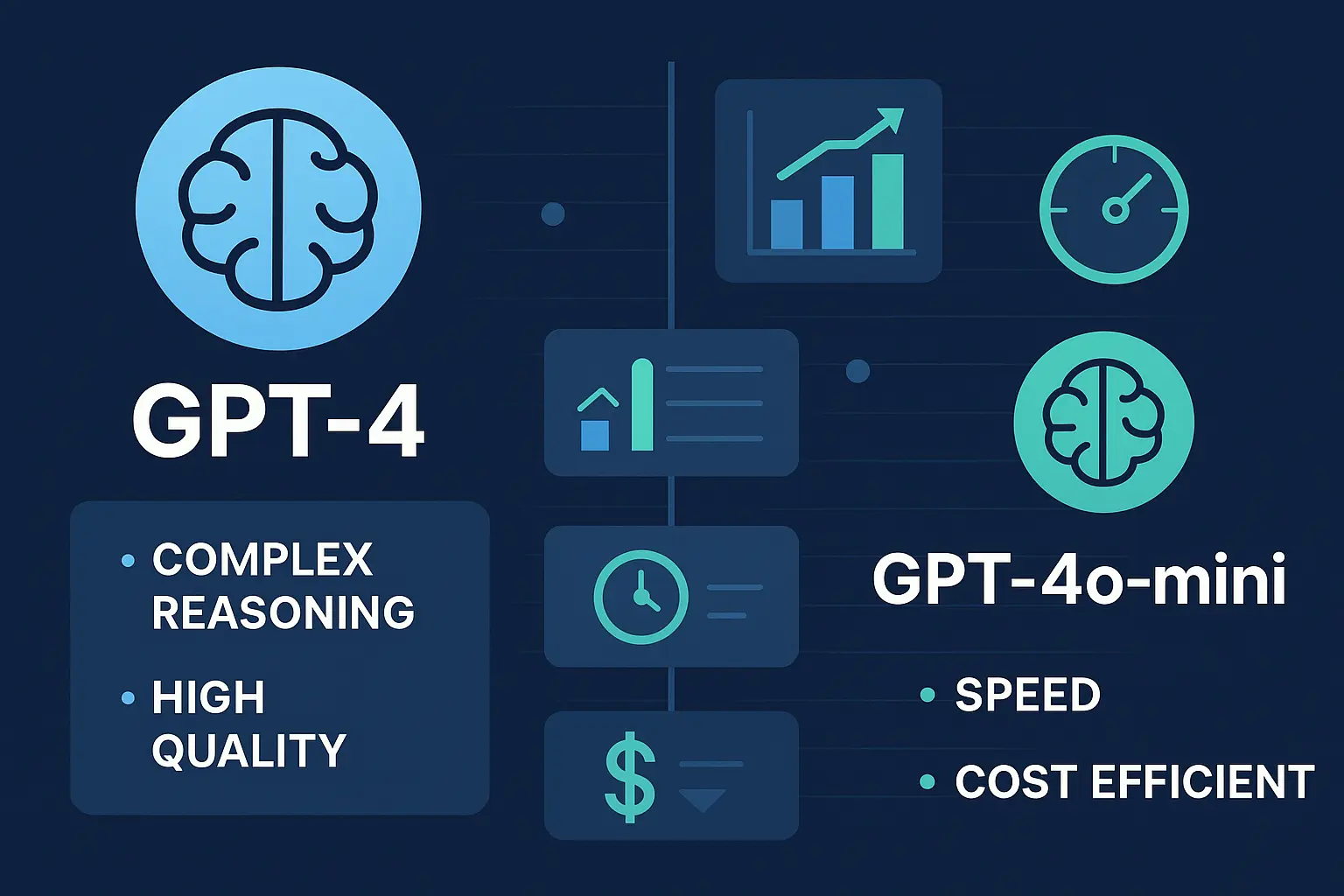
Let's start with the obvious one. ChatGPT is probably the tool you've already tried, and there's a reason it's everywhere. I use it more than any other tool on this list—sometimes for serious work, sometimes just to talk through ideas when I'm stuck. The free version (GPT-3.5) is decent for basic stuff, but I'll be real with you: the $20/month for GPT-4 has been worth every penny for me. The quality jump is noticeable, especially for anything longer than a few paragraphs.
Key Features and Capabilities
- Multi-format content generation: Blog posts, social media captions, scripts, emails, product descriptions, and more
- Intelligent brainstorming: Generate content ideas, headlines, angles, and creative concepts
- Research assistance: Summarize articles, explain complex topics, and gather information on any subject
- Content editing: Improve tone, fix grammar, adjust reading level, and refine messaging
- SEO optimization: Create meta descriptions, generate keywords, and structure content for search
- Code generation: Write HTML, CSS, JavaScript, and other code for web content
- Translation: Convert content between 95+ languages
- Custom GPTs: Create specialized AI assistants for specific content workflows
Pricing Structure
- Free tier: Unlimited access to GPT-3.5 with occasional capacity restrictions
- ChatGPT Plus ($20/month): GPT-4 access, priority during peak times, faster responses, plugin access
- ChatGPT Team ($25/user/month): Team collaboration, admin controls, unlimited GPT-4 access
- ChatGPT Enterprise (custom pricing): Enhanced security, unlimited usage, advanced analytics
What I Actually Use It For
Here's how ChatGPT fits into my actual workflow (not the idealized version):
- Breaking through writer's block: When I'm staring at a blank screen, I'll have it generate 3-4 different intro options. I never use them verbatim, but they get my brain unstuck.
- Research and summarizing: Instead of reading 10 articles, I'll paste key excerpts and have it pull out the main points. Still fact-check everything though—it confidently makes up stuff sometimes.
- Repurposing content: This is where it really shines. I can feed it a blog post and get it reformatted for LinkedIn, Twitter threads, or email newsletters. Saves me hours every week.
- Editing and tightening copy: I'll paste in a rough draft and ask it to make it more concise or punch up the intro. Works better than I'd like to admit.
- Title and headline variations: Give it a topic and ask for 20 headline options. Usually 2-3 are actually good, which beats staring at the wall for 30 minutes.
Real Talk: The "custom instructions" feature is genuinely useful once you set it up. I've got mine trained on my writing style, and it makes outputs way more usable right out of the gate. Takes 10 minutes to set up but saves you from editing every single response to sound like you. Also, ChatGPT will sometimes hallucinate facts with complete confidence, so double-check anything that matters.
2. Midjourney: Beautiful Images (Once You Figure It Out)
Okay, full disclosure: Midjourney has a learning curve. The fact that it runs through Discord still feels weird, and my first 50 attempts produced absolute garbage. But once you get the hang of the prompting style, it's absurdly powerful. I've created blog headers, social media graphics, and even presentation visuals that look professional enough that people assume I hired a designer. The $30/month standard plan is my sweet spot—enough generations that I don't stress about experimenting.
Key Features and Capabilities
- Photorealistic image generation: Create images indistinguishable from professional photography
- Artistic style control: Generate images in specific art styles from watercolor to cyberpunk
- Character consistency: Maintain consistent characters across multiple images
- Image blending: Combine multiple images to create unique compositions
- Style referencing: Use reference images to guide generation style and aesthetic
- Upscaling capabilities: Enhance resolution for print-quality outputs
- Aspect ratio flexibility: Generate images in any dimensions for various platforms
- Community inspiration: Browse and learn from millions of community-generated images
Pricing Structure
- Basic Plan ($10/month): 200 generations/month, general commercial terms
- Standard Plan ($30/month): 15 hours of GPU time/month (~900 generations), relaxed mode for unlimited generations
- Pro Plan ($60/month): 30 hours of GPU time/month (~1800 generations), stealth mode for private generations
- Mega Plan ($120/month): 60 hours of GPU time/month (~3600 generations), maximum queue priority
When It's Worth Using (and When It's Not)
Midjourney excels at:
- Blog feature images: Way faster than browsing stock photos, and they actually match your content. I can generate a perfect header image in 5 minutes versus spending 30 minutes on Unsplash.
- Social media graphics: Instagram and Pinterest eat this stuff up. The images are unique, which helps you stand out in crowded feeds.
- Concept visualization: When I need to show an idea that doesn't exist in stock photography—like "AI helping a small business owner"—Midjourney delivers.
- YouTube thumbnails: Hit or miss. Sometimes perfect, sometimes... six fingers. Budget extra time for iterations.
Where it struggles: Text within images (still can't do it reliably), specific product shots, photorealistic people doing specific things (expect extra fingers and weird anatomy occasionally), and anything requiring precise brand colors.
What Actually Works: Forget the complicated parameter stuff at first. Start simple: describe what you want, add a style reference (like "oil painting" or "clean minimalist"), and specify your aspect ratio with --ar 16:9 or --ar 1:1. Once you get a result you like, save that exact prompt. I have a Google Doc full of prompts that consistently work for different content types. Also, the /describe command is secretly the best feature—upload an image you like and it reverse-engineers the prompt for you.

3. Descript: The Video Editor That Doesn't Feel Like Punishment
I avoided video content for years because editing in Premiere Pro or Final Cut felt like learning aerospace engineering. Then I found Descript, and suddenly editing is just... editing text. Delete a sentence from the transcript, and that part of the video disappears. It sounds too simple to work well, but it genuinely does. The "remove filler words" button alone has saved me hours of tedious cutting. I now actually enjoy editing videos, which is something I never thought I'd say.
Key Features and Capabilities
- Text-based editing: Edit video and audio by editing the transcript—cut words, not timelines
- Overdub voice cloning: Create ultra-realistic AI voice clones for fixing mistakes without re-recording
- Studio Sound: AI-powered audio enhancement that removes background noise and improves voice quality
- Filler word removal: Automatically detect and remove "um," "uh," "like," and other filler words
- Multi-track editing: Edit multiple speakers, video layers, and audio tracks seamlessly
- Screen recording: Built-in screen capture for tutorials, demos, and presentations
- Automatic transcription: Industry-leading accuracy across 23 languages
- Templates and presets: Pre-designed layouts for podcasts, tutorials, and social content
Pricing Structure
- Free tier: 1 video/audio transcription hour per month, watermarked exports
- Hobbyist ($15/month): 10 hours of transcription, 720p export, basic features
- Creator ($30/month): 30 hours of transcription, 4K export, Overdub voice cloning, Studio Sound
- Business ($50/month): Unlimited transcription, team collaboration, brand kits
What Makes It Worth the Money
- Podcast editing made painless: I edit my podcast episodes in about 20 minutes now instead of 2 hours. The automatic filler word removal catches all my "ums" and "uhs" without me hunting for them.
- YouTube content: Record your video, let it transcribe, then edit out the parts where you rambled or messed up. Add captions automatically. Export. Done.
- Repurposing long-form to short-form: Take a 45-minute video, highlight the best 60-second sections in the transcript, export as separate clips for TikTok or Reels. This workflow alone justifies the subscription.
- Fixing audio mistakes without re-recording: The Overdub feature is borderline magical. Mispronounced a client's name? Type the correction, and it generates your voice saying it correctly. Saves countless re-takes.
- Interview editing: Cut between speakers, rearrange sections, clean up audio—all without touching a timeline.
The Learning Curve: The basics are intuitive, but you'll want to spend an hour watching tutorial videos to unlock the real power features. The Overdub voice cloning is wild but needs good quality source audio—don't try to train it on a voice memo recorded in a coffee shop. Studio Sound (the AI audio enhancer) works surprisingly well on mediocre audio, but it's not magic—garbage in, slightly less garbage out.
4. Jasper AI: ChatGPT's Pricier Marketing-Focused Cousin
Full transparency: Jasper does a lot of what ChatGPT does, but with a marketing-specific wrapper and templates. Is it worth $49/month when ChatGPT is $20? Depends. If you're running an agency or pumping out tons of marketing copy, the templates and brand voice features save enough time to justify it. If you're a solo creator who can learn good prompts, ChatGPT Plus probably does the job. I used Jasper for six months, found it helpful, but eventually canceled because I could replicate most of its value with good ChatGPT prompts. That said, the SEO integration with Surfer is legitimately useful if you care about search rankings.
Key Features and Capabilities
- 50+ content templates: Pre-built templates for blog posts, ads, emails, social posts, product descriptions
- Brand voice customization: Train Jasper on your brand guidelines, tone, and style
- SEO mode: Integrated Surfer SEO for keyword optimization and content scoring
- Boss Mode: Long-form editor for articles and comprehensive content pieces
- Jasper Chat: ChatGPT-style interface for conversational content generation
- Jasper Art: Built-in AI image generation powered by DALL-E and other models
- Team collaboration: Multi-user access with role-based permissions
- Chrome extension: Generate content directly in Google Docs, Gmail, and other web apps
Pricing Structure
- Creator ($49/month): 1 seat, unlimited words, 50+ templates, browser extension
- Teams ($125/month): 3 seats, brand voice, collaboration features, priority support
- Business (custom pricing): Custom team size, advanced features, dedicated support, API access
Best Use Cases for Content Creators
- Marketing campaigns: Generate ad copy, email sequences, landing page content
- Blog content at scale: Produce multiple SEO-optimized articles weekly
- Product descriptions: Write compelling descriptions for e-commerce catalogs
- Social media content: Create platform-specific posts with hashtags and CTAs
- Email marketing: Draft newsletters, promotional emails, and automated sequences
Pro Tip: Leverage Jasper's Brand Voice feature by uploading samples of your best-performing content. This trains the AI to match your unique style, making outputs require less editing.
5. Canva AI: The Design Tool for People Who Can't Design
I have zero design skills. Like, genuinely none. But Canva makes me look like I know what I'm doing. The AI features (Magic Design, Background Remover, etc.) are honestly just nice bonuses on top of an already great tool. The real value is the templates—just pick one, swap in your text and images, and you've got a professional-looking Instagram post, presentation, or thumbnail. The free version is solid, but the $15/month Pro subscription is worth it for the background remover alone. I use it almost every day.
Key Features and Capabilities
- Magic Design: Generate complete designs from a simple text prompt
- Magic Eraser: Remove unwanted objects from images with one click
- Background Remover: Automatically isolate subjects from backgrounds
- Magic Edit: AI-powered brush tool for adding, replacing, or editing image elements
- Text to Image: Generate custom images directly within your designs
- Brand Kit: Store brand colors, fonts, and logos for consistent designs
- Smart Resize: Automatically adapt designs for different platforms and dimensions
- Templates library: 250,000+ professionally designed templates
Pricing Structure
- Free plan: 250,000+ templates, basic features, limited AI credits
- Canva Pro ($14.99/month): Unlimited AI features, premium templates, brand kit, background remover
- Canva Teams ($29.99/month for 5 users): Team collaboration, shared brand assets, approval workflows
Best Use Cases for Content Creators
- Social media graphics: Create posts, stories, and covers for all major platforms
- Presentations: Design pitch decks, webinar slides, and educational content
- Marketing materials: Produce flyers, posters, brochures, and promotional graphics
- Thumbnails and headers: Design YouTube thumbnails, blog headers, podcast cover art
- Infographics: Visualize data and statistics in engaging, shareable formats
Pro Tip: Use Canva's Brand Kit to save time and maintain consistency. Upload your logo, set brand colors and fonts once, then apply them to any template with one click. Create template folders for recurring content types.
6. Runway ML: Cool But Still Figuring Itself Out
Runway is impressive technology that I use... occasionally. The text-to-video feature is genuinely sci-fi level stuff, but results are inconsistent enough that I can't rely on it for client work. Great for experimental B-roll, abstract visuals, or just playing around. The green screen removal and motion tracking features are more practically useful. I keep a subscription because when it works, it's magic, but temper your expectations—this is bleeding edge tech, which means it's powerful but unpredictable. The $35/month Pro plan gives you enough credits to actually experiment without stress.
Key Features and Capabilities
- Gen-2 text-to-video: Generate video clips from text descriptions
- Motion tracking: AI-powered object and motion tracking for effects and compositing
- Green screen removal: Remove backgrounds without physical green screens
- Frame interpolation: Create smooth slow-motion from regular footage
- Image-to-video: Animate static images into video clips
- Super-slow motion: Generate additional frames for dramatic slow-motion effects
- Infinite zoom: Create perpetual zoom effects automatically
- Video inpainting: Remove objects or people from video footage
Pricing Structure
- Free plan: 125 credits (approximately 125 seconds of generated video), watermarked
- Standard ($15/month): 625 credits/month, 720p resolution, no watermark
- Pro ($35/month): 2250 credits/month, 4K resolution, priority generation
- Unlimited ($95/month): Unlimited credits, fastest generation, advanced features
Best Use Cases for Content Creators
- B-roll generation: Create supplementary video clips for YouTube videos, documentaries
- Animated content: Bring static images to life for social media
- Special effects: Add cinematic effects without expensive software or training
- Concept visualization: Quickly test video ideas before committing to full production
- Music videos: Generate abstract visuals synchronized to audio tracks
Pro Tip: Runway's Gen-2 works best with specific, detailed prompts. Instead of "a forest," try "cinematic drone shot moving through a misty pine forest at dawn, golden light filtering through trees, slow motion." The more detail, the better the results.
7. Copy.ai: Jasper's Cheaper Alternative
Copy.ai and Jasper are basically in the same category—AI writing tools with marketing templates. Copy.ai is simpler and costs the same ($49/month for the Pro plan), but the free tier is more generous if you want to test it out. Honestly? Unless you specifically need the workflow automation feature (which is actually pretty cool), I'd just stick with ChatGPT Plus and save your money. But if you're managing social media for multiple clients and churning out dozens of captions daily, the templates and bulk generation features might justify the cost.
Key Features and Capabilities
- 90+ copywriting tools: Specialized tools for ads, social posts, emails, product descriptions
- Infobase: Upload brand information, products, and guidelines for context-aware outputs
- Workflow automation: Create multi-step workflows that chain AI tools together
- Team collaboration: Share workspaces, templates, and projects with team members
- AI Chat: Conversational interface for custom content requests
- Chrome extension: Generate copy directly in Gmail, LinkedIn, and other platforms
- Brand Voice: Train the AI to match your specific tone and style
- Templates library: Pre-built frameworks for common marketing scenarios
Pricing Structure
- Free plan: 2,000 words/month, limited features, 1 user seat
- Pro ($49/month): Unlimited words, all tools, 5 user seats, priority support
- Team (custom pricing): Unlimited seats, advanced collaboration, dedicated support
Best Use Cases for Content Creators
- Social media captions: Generate engaging captions for Instagram, Facebook, LinkedIn, Twitter
- Ad copy: Create multiple variations for Facebook, Google, and display advertising
- Email subject lines: Write compelling subject lines that improve open rates
- Product descriptions: Craft persuasive e-commerce product copy at scale
- Landing page copy: Generate headlines, subheadings, and CTA copy
Pro Tip: Use Copy.ai's workflow feature to create content production pipelines. For example, create a workflow that generates a blog outline, writes the introduction, creates social posts promoting the blog, and drafts an email announcement—all in one automated sequence.
8. Grammarly: Your Always-On Safety Net
Grammarly is one of those tools that's so integrated into my workflow I forget it's there—until it saves me from sending an email with "your" instead of "you're" to a client. The free version catches most embarrassing mistakes. The Premium version ($12/month if you pay annually) catches the subtle ones and suggests better phrasing. Is it perfect? No. Does it sometimes suggest changes that make your writing sound robotic? Yes. But it's caught enough mistakes over the years that I keep it installed everywhere. Think of it as a seatbelt—you hope you don't need it, but you're glad it's there.
Key Features and Capabilities
- Advanced grammar checking: Detects and fixes grammar, spelling, and punctuation errors
- Tone detection: Analyzes and adjusts tone to match your intended message
- Clarity improvements: Suggests rewrites for confusing or wordy sentences
- Plagiarism detection: Checks content against billions of web pages
- Style consistency: Maintains consistent voice, terminology, and formatting
- Vocabulary enhancement: Suggests more impactful word choices
- Readability optimization: Adjusts content for target reading level
- Platform integration: Works across browsers, Google Docs, Microsoft Office, and most writing apps
Pricing Structure
- Free plan: Basic grammar and spelling checks, limited suggestions
- Premium ($12/month annual, $30/month monthly): Full grammar checking, tone detection, style suggestions, plagiarism detection
- Business ($15/user/month): Team features, style guide, analytics, priority support
Best Use Cases for Content Creators
- Blog post editing: Polish articles before publication, ensure error-free content
- Professional emails: Communicate clearly and professionally with clients and collaborators
- Social media posts: Catch errors that damage credibility on public platforms
- Script polishing: Refine video scripts for clarity and impact
- Client deliverables: Ensure all client-facing content meets professional standards
Pro Tip: Create custom style guides in Grammarly Business to maintain brand consistency across all team content. Define preferred spellings, capitalization rules, and company-specific terminology that the AI will enforce automatically.
9. ElevenLabs: Shockingly Good AI Voices
The first time I heard ElevenLabs output, I genuinely couldn't tell it was AI. It's borderline creepy how realistic it sounds—complete with natural pauses, inflection, and emotion. I use it for YouTube voiceovers when I don't feel like recording myself (or when I sound terrible because I'm sick). The voice cloning feature is wild: record yourself for 10 minutes, and it can generate your voice saying anything. The $22/month Creator plan gives you enough characters for regular use. Fair warning: the ethical implications here are real, so use responsibly.
Key Features and Capabilities
- Realistic voice cloning: Create custom AI voices from just 1-3 minutes of audio samples
- 29+ languages: Generate natural-sounding speech in multiple languages
- Emotion control: Adjust voice emotion, emphasis, and delivery style
- Voice library: Access hundreds of pre-made voices across various ages, accents, and styles
- Long-form narration: Generate hours of consistent audio for audiobooks and courses
- Voice design: Create entirely new synthetic voices with specific characteristics
- API access: Integrate voice generation into applications and workflows
- Professional projects: Workspace for organizing and managing multiple audio projects
Pricing Structure
- Free tier: 10,000 characters/month (approximately 10 minutes of audio)
- Starter ($5/month): 30,000 characters/month, voice cloning (1 voice)
- Creator ($22/month): 100,000 characters/month, voice cloning (10 voices), commercial license
- Pro ($99/month): 500,000 characters/month, voice cloning (30 voices), priority generation
- Scale ($330/month): 2M characters/month, voice cloning (160 voices), dedicated support
Best Use Cases for Content Creators
- YouTube voiceovers: Create professional narration for explainer videos, tutorials, documentaries
- Podcast production: Generate consistent intro/outro narration or entire podcast episodes
- Audiobooks: Convert written content into audio format for platforms like Audible
- Course creation: Add professional narration to online courses and educational content
- Multilingual content: Create versions of content in multiple languages without hiring voice actors
- Character voices: Generate distinct voices for different characters in storytelling content
Pro Tip: For the most natural-sounding results, break long scripts into smaller chunks and use ElevenLabs' emphasis controls to add natural pauses and inflection. Include punctuation like ellipses (...) for pauses and exclamation marks for emphasis.
10. Notion AI: Convenient If You Already Use Notion
If you're already a Notion user (and let's be honest, half of content creators are), the $10/month AI add-on is convenient. It's basically ChatGPT built into your workspace. Is it better than just opening ChatGPT in another tab? Not really. But having it right there when you're brainstorming in your content calendar or drafting in your notes is nice. It's good for quick summaries, reformatting text, and generating ideas without context-switching. If you don't use Notion already, don't start just for the AI—just use ChatGPT.
Key Features and Capabilities
- Integrated AI writing: Generate content directly within your Notion workspace
- Content summarization: Condense long documents, meeting notes, and research into key points
- Brainstorming assistance: Generate ideas, outlines, and content frameworks
- Translation: Translate content between languages without leaving Notion
- Tone adjustment: Rewrite content in different tones (professional, casual, friendly)
- Action item extraction: Automatically identify and create tasks from meeting notes
- Database integration: Use AI to fill and organize database properties
- Template creation: Generate custom templates for recurring content types
Pricing Structure
- Notion AI add-on ($10/user/month): Added to any Notion plan (Free, Plus, Business, Enterprise)
- Unlimited AI requests: No character or query limits
- All AI features: Full access to all current and future AI capabilities
Best Use Cases for Content Creators
- Content calendars: Plan and organize content schedules with AI-assisted ideation
- Research organization: Summarize research materials and extract key insights
- Meeting notes: Document planning sessions and automatically extract action items
- Brief writing: Draft content briefs, campaign plans, and project documents
- Wiki creation: Build team knowledge bases with AI-generated documentation
- SOPs and workflows: Document processes and create standard operating procedures
Pro Tip: Use Notion AI to create content templates that incorporate your workflow. For example, create a blog post template that includes AI-generated outline, keyword research section, and SEO checklist—then duplicate it for each new article.

What You Actually Need (Spoiler: Not All 10)
Let's be real: subscribing to all these tools would cost you $300+ per month. That's insane unless you're running an agency. Here's what I actually recommend based on where you're at:
If You're Just Starting ($0-20/month)
Don't spend money until you know what you need. Start here:
- ChatGPT Free: Covers 80% of use cases. Upgrade to Plus ($20) only when you're consistently hitting rate limits or need better quality.
- Canva Free: Totally usable. The templates alone are worth it, and you get enough free features to make good graphics.
- Grammarly Free: Catches the embarrassing mistakes. Premium is nice but not essential at first.
- Total: $0-20/month (depending on whether you spring for ChatGPT Plus)
If You're Making Money From Content ($65-100/month)
This is my actual stack. It covers everything without unnecessary redundancy:
- ChatGPT Plus ($20): Non-negotiable. The quality difference from free is worth it when this is your job.
- Canva Pro ($15): Background remover and premium templates pay for themselves in time saved.
- Midjourney Standard ($30): Only if you create lots of visual content. Otherwise stick with Canva's AI image generator.
- Descript Creator ($30): Only if you do video/podcast work. Otherwise skip it.
- Total: $65-95/month (depending on whether you need Midjourney and Descript)
Notice what's NOT in here: Jasper, Copy.ai, Runway (experimental), Notion AI (redundant if you have ChatGPT). Grammarly free is fine unless you're doing high-stakes professional writing.
Agency/Team Stack ($300-500/month)
For agencies, teams, or high-volume content operations:
- ChatGPT Team: Collaborative AI writing ($25/user)
- Midjourney Pro: High-volume image generation ($60)
- Jasper Teams: Marketing content at scale ($125)
- Descript Business: Team video production ($50)
- ElevenLabs Creator: Professional voiceovers ($22)
- Canva Teams: Team design collaboration ($30)
- Runway Pro: Advanced video AI ($35)
- Total monthly cost: $347+
Pick Your Tools Based on What You Actually Create
If You're a Blogger/Writer:
- Start with: ChatGPT Plus ($20), Grammarly Free ($0), Canva Free ($0)
- Add later: Canva Pro when you need better images, Grammarly Premium if you're doing high-stakes writing
- Skip: Video tools, voice tools, expensive marketing tools
If You Make Videos (YouTube, TikTok, etc.):
- Start with: Descript Creator ($30), ChatGPT Plus ($20), Canva Free ($0)
- Add later: ElevenLabs if you need voiceovers, Canva Pro for better thumbnails
- Skip: Midjourney unless you're doing heavy visual content, Jasper/Copy.ai (ChatGPT covers it)
If You Run Social Media:
- Start with: Canva Pro ($15), ChatGPT Plus ($20)
- Add later: Midjourney if you create tons of original graphics and Canva's AI isn't cutting it
- Skip: Descript unless you're doing video, expensive writing tools (ChatGPT handles captions fine)
If You Podcast:
- Start with: Descript Creator ($30—worth every penny for podcast editing)
- Add later: ChatGPT Plus for show notes, ElevenLabs for intro/outro if you want them
- Skip: Image generation tools unless you're also creating visual content
Integration Strategies: Making These Tools Work Together
The real power comes from combining these tools into cohesive workflows.
Example Workflow 1: Blog Post Production
- Notion AI: Brainstorm topic ideas and create content brief
- ChatGPT: Generate article outline and first draft
- Grammarly: Edit and polish the content
- Midjourney: Create featured image matching article topic
- Canva: Design social media graphics promoting the post
- Copy.ai: Write social media captions and email announcement
Example Workflow 2: YouTube Video Production
- ChatGPT: Research topic and create video script
- Descript: Record and edit video, remove filler words
- ElevenLabs: Generate voiceover for B-roll sections if needed
- Runway ML: Create AI-generated B-roll footage
- Canva or Midjourney: Design thumbnail
- ChatGPT: Write video description and generate timestamp chapters
Example Workflow 3: Social Media Content Calendar
- Notion AI: Create monthly content calendar with theme ideas
- ChatGPT: Generate specific post ideas for each day
- Midjourney: Create unique images for each post concept
- Canva: Design final posts with text overlays and branding
- Copy.ai: Write platform-specific captions and hashtags
- Notion: Organize all assets and schedule in content calendar
Mistakes I Made So You Don't Have To
I've wasted money and embarrassed myself learning these lessons. Save yourself the trouble:
Don't Publish AI Content Without Editing It
I did this exactly once. ChatGPT confidently told me a completely made-up statistic, and I published it without checking. A reader called me out, and I looked like an idiot. AI makes stuff up with complete confidence. Always fact-check. Always add your own voice and expertise. The AI draft should be the beginning of your process, not the end.
Don't Use Lazy Prompts and Expect Great Results
When I started, I'd type "write a blog post about marketing" and wonder why the output was generic garbage. Quality in = quality out. Be specific. Give examples. Explain the tone you want. A good prompt takes 2 minutes to write, but it saves you 20 minutes of editing.
Don't Subscribe to Everything at Once
My first month using AI tools, I subscribed to ChatGPT, Jasper, Copy.ai, Midjourney, and three other tools I can't even remember. Spent $200, used maybe half of them. Start with ChatGPT Plus and Canva. Add tools one at a time as you identify specific needs. Your wallet will thank you.
Don't Let AI Homogenize Your Voice
After a month of heavy ChatGPT use, I realized all my content was starting to sound the same—and not like me. Set up custom instructions, edit outputs to match your voice, and inject your personality. The whole point is that AI handles the grunt work so you can focus on the parts that make your content uniquely yours.
So... Should You Actually Use These Tools?
Yeah, probably. But not all of them, and not all at once.
Here's the thing about AI tools for content creation: they're not magic, and they won't make you a great creator if you aren't already decent at what you do. But if you're spending hours on tasks that could take minutes, or if you're avoiding certain types of content because they feel too hard, these tools can genuinely help. ChatGPT has saved me countless hours of staring at blank pages. Descript has made video editing actually enjoyable. Canva has prevented me from paying designers for simple graphics I can now make myself.
My honest recommendation: Start with ChatGPT Plus ($20/month) and Canva Pro ($15/month). Those two alone will cover 80% of what most creators need. Use them for a month. If you find yourself wishing you had better image generation, add Midjourney. If you're doing video work, get Descript. Build your stack based on actual pain points, not hypothetical needs.
And remember—these tools are getting better (and cheaper) every month. The Midjourney I use today is exponentially better than the version from a year ago. ChatGPT keeps getting updates. Don't feel pressured to master everything right now. The landscape will look different in six months anyway.
The goal isn't to let AI do all your work. It's to let AI handle the boring parts so you can focus on the creative parts that actually matter—the strategy, the unique insights, the personality that makes your content yours. Use these tools to work smarter, not to replace yourself. For more tips on getting the most out of AI tools, check out our guides on writing better prompts and choosing the right AI model for your needs.