I still cringe when I think about my early days with AI tools. I'd spend 30 minutes crafting what I thought was the perfect prompt, only to get back a response that completely missed the mark. Sound familiar? The truth is, mastering AI prompt writing has become an essential skill for anyone working with language models, and I learned this the hard way. Whether you're a content creator, developer, marketer, or researcher, the quality of the prompts you write directly influences the quality of responses you receive. Well-crafted prompts lead to accurate, relevant, and creative outputs, while poorly structured ones result in vague, incomplete, or incorrect answers.
In this guide, I'm going to share the most common prompt mistakes I've made (and seen others make countless times) along with the practical solutions I discovered for fixing them. By understanding these common prompt mistakes and learning how to improve AI prompts, you'll be able to get significantly better results from your AI interactions. Trust me—I've made every one of these prompt writing mistakes so you don't have to!
Mistake 1: Being Too Vague or Generic
Oh boy, this is the mistake I made most often when I first started. I'd type something like "tell me about marketing" and wonder why the AI gave me such a generic, unhelpful response. One of the most frequent AI prompt mistakes is creating prompts that lack clarity and specificity. Vague prompts leave too much room for interpretation, leading to responses that don't meet your actual needs.
Definition
A vague prompt lacks clear intent, detail, or direction. I learned that it leaves too much room for interpretation, leading to responses that feel unfocused or unrelated to what you actually need. It's like asking someone for "food" without specifying whether you want pizza, salad, or sushi.
Poor Examples (I've used them all!)
- "Tell me something about history." (Got a random fact about Ancient Rome when I needed info on the Industrial Revolution)
- "Write a paragraph about marketing." (Received generic fluff that was completely useless)
- "Help me with my project." (The AI had no idea what my project even was!)
Why It Leads to Poor Results
I discovered that AI models rely heavily on context. When your prompt is too general, the AI doesn't know what angle, depth, or style you want. This often results in surface-level content that doesn't meet your needs. According to research from OpenAI, specific prompts can improve output relevance by up to 60% compared to vague instructions. That's huge!
How to Fix It: Best Practices
Here's what I learned about how to fix prompts that are too vague:
- Specify the topic, scope, and purpose clearly (be as specific as possible!)
- Add details about the format and depth of the answer
- Include target audience and tone requirements
Improved Examples (What I Use Now)
"Give me a 150-word summary of ancient Egyptian architecture focusing on pyramids.""Write a persuasive marketing paragraph targeting small business owners in the fitness industry.""Help me outline a technical report on cloud security for beginners."See the difference? These improved prompts tell the AI exactly what you want. This is essential prompt optimization in action!
Mistake 2: Overloading the Prompt With Too Many Instructions
After learning to be specific, I went to the other extreme—and boy, did I overdo it! I'd write these massive prompts with ten different requirements, and the results were... confusing at best. While specificity is important, some prompts become overly complex—mixing multiple tasks, contradictory goals, or excessive details that confuse the AI model. This is one of those prompt engineering errors that seems logical but backfires spectacularly.
Definition
An overloaded prompt contains too many conflicting instructions, multiple unrelated tasks, or contradictory requirements that make it impossible for the AI to prioritize effectively. I found this out when I asked for content that was "short but detailed" and "casual but professional" at the same time!
Poor Examples (Yes, I Actually Wrote These)
"Write a long article about AI, but keep it short, casual, technical, entertaining, formal, and include statistics but don't make it too factual."(Long AND short? Casual AND formal? What was I thinking?!)
"Explain quantum physics simply, and give advanced formulas, but also make it funny and serious at the same time."Why It Leads to Poor Results
I learned this lesson painfully: conflicting instructions confuse AI models. The output becomes inconsistent, unfocused, or fails to prioritize what matters most. The AI tries to satisfy all requirements simultaneously, resulting in mediocre results that don't excel in any area. It's like asking someone to cook a meal that's both spicy and bland—impossible!
How to Fix It: Best Practices
Here are the prompt engineering tips I use to avoid overloading:
- Break complex prompts into multiple steps or separate requests (game-changer!)
- Remove contradictions and prioritize your primary goals
- Use bullet points for clarity when listing requirements
- Focus on 2-3 key requirements maximum per prompt (this is my golden rule now)
Improved Examples
"Write a short, beginner-friendly explanation of quantum physics. Include one analogy and avoid technical formulas.""Write a 700-word article about AI in healthcare. Keep the tone formal and include two statistics."Notice how these prompts have clear, non-contradictory requirements? That's the secret to effective prompt optimization.
Mistake 3: Lacking Context or Background Information
I once asked AI to "explain this" without saying what "this" was or who I was explaining it to. The result? A complete mess. A prompt without context leaves the AI guessing essential details such as audience, purpose, tone, and constraints. This is one of the most critical AI prompt mistakes that leads to irrelevant outputs, and I've made it more times than I'd like to admit.
Definition
A prompt without context lacks essential background information such as audience, purpose, tone, format requirements, or relevant constraints that guide the AI's response. Think of it like giving someone directions without telling them where they're starting from—totally unhelpful!
Poor Examples (Guilty as Charged)
- "Explain this." (Explain WHAT? To WHOM?)
- "Rewrite this in a better way." (Better how? For what purpose?)
- "Give me feedback." (On what aspect? What kind of feedback?)
Why It Leads to Poor Results
I learned that AI can only use the information it's given. Without context, it may produce irrelevant or misaligned outputs. The AI doesn't know who the content is for, what the goal is, or what "better" means in your specific situation. It's one of the most frustrating prompt writing mistakes because the results are often completely off-base.
How to Fix It: Best Practices
Here's what I do now to provide proper context:
- Always specify the audience, goal, and tone (non-negotiable!)
- Include samples or data when relevant
- Clarify what "better" or "explain" means in your situation
- Provide background information about the topic or project
Improved Examples
"Rewrite the following paragraph for a professional audience of software engineers. Improve clarity and conciseness.""Explain the attached code snippet to a beginner with no programming experience.""Give me constructive feedback on this sales script with a focus on improving clarity and persuasion."These examples show exactly how to improve AI prompts by adding context. The difference in output quality is night and day!
Mistake 4: Not Defining the Desired Output Format
I can't count how many times I've needed a bullet list and gotten a long paragraph instead, or vice versa. It's frustrating! Many people forget to tell the AI whether they want a list, paragraph, table, script, summary, or something else. This is one of those common prompt mistakes that seems obvious in hindsight but leads to outputs that don't match your project requirements.
Definition
A prompt without format specification doesn't indicate the desired structure, layout, or presentation style of the output, leaving the AI to choose a format that may not suit your needs. I learned this after reformatting AI outputs dozens of times when I could have just specified the format upfront!
Poor Examples
- "Describe the benefits of remote work." (Got a 300-word essay when I needed a quick list)
- "Tell me the steps for creating a mobile app." (Received a narrative instead of numbered steps)
Why It Leads to Poor Results
I discovered that without a requested format, the AI chooses one on its own—which may not match what you need for your project. You might get a paragraph when you needed a bullet list, or a summary when you needed a detailed breakdown. This wastes time and requires manual reformatting, which defeats the purpose of using AI in the first place!
How to Fix It: Best Practices
These are my AI prompt best practices for specifying format:
- Mention the exact structure you want (bullets, numbered steps, outline, table, etc.)
- Specify length when needed (word count, number of items, etc.)
- Indicate if you need headings, subheadings, or specific formatting
Improved Examples
"List five benefits of remote work, each explained in 1–2 sentences.""Create a step-by-step guide for developing a mobile app, formatted as a numbered checklist."Now THESE prompts will give you exactly what you need! This simple fix saves me hours of reformatting every week.
Mistake 5: Forgetting to Set Constraints and Requirements
I once asked for "a story" and got a 3,000-word epic when I needed something short for a social media post. Oops! A prompt without boundaries—such as word count, tone, examples, or limitations—can produce outputs that are too long, too short, or not aligned with your intent. This prompt engineering error is super easy to avoid once you know about it.
Definition
A prompt without constraints lacks boundaries such as word count, tone specifications, style guidelines, examples, or limitations that help shape the output to match your needs. I learned that constraints are like bumper lanes in bowling—they keep everything on track!
Poor Examples
- "Write a story." (How long? What genre? What tone?)
- "Explain machine learning." (To whom? How deep? How long?)
- "Create marketing text for my product." (What product? What platform? How much text?)
Why It Leads to Poor Results
I found that AI fills in the blanks on its own. Without constraints, it may overshoot (e.g., writing a 2,000-word story when you needed 200 words) or undershoot (giving a 1-line explanation when you needed depth). Tone and style may also miss the mark, requiring extensive editing or complete rewrites. It's incredibly frustrating!
How to Fix It: Best Practices
Here's how I fix prompts by adding proper constraints:
- Use measurable constraints: word count, tone, target audience, examples (specifics are your friend!)
- Give the AI clear boundaries to work within
- Specify style preferences (formal, casual, technical, etc.)
- Include examples of what you want or don't want
Improved Examples
"Write a 200-word suspense story using first-person narration and an open ending.""Explain machine learning in 100 words for high school students.""Create a 3-sentence marketing hook for a portable mini blender targeting busy professionals."These improved prompts have clear constraints that guide the AI perfectly. This is what effective prompt optimization looks like!
Mistake 6: Asking AI to "Think" Without Guidance
I used to think that telling AI to "think deeply" would magically produce better results. Spoiler alert: it doesn't! Prompts like "think step by step," "analyze deeply," or "give the best answer" may not work if not paired with clear instructions. These abstract phrases need concrete structure to be effective, and I learned this through many disappointing results.
Definition
A prompt that asks for thinking or analysis without providing structure or guidance relies on abstract instructions that don't give the AI a clear framework for reasoning. It's like asking someone to "think harder" without telling them what to think about—not very helpful!
Poor Examples
- "Think deeply and explain how to start a business." (What does "deeply" even mean to an AI?)
- "Give me the best advice possible." (Best by what criteria? For what situation?)
Why It Leads to Poor Results
I discovered that these phrases are too abstract. AI benefits far more from structured thinking instructions. Without a framework, the AI's "thinking" may be disorganized or miss important aspects of your request. It's like asking a GPS to take you "somewhere nice"—you need to be specific about the destination!
How to Fix It: Best Practices
These are my go-to strategies for structuring AI thinking:
- Guide the thinking process explicitly (tell the AI HOW to think)
- Request frameworks, steps, or logic-based reasoning
- Break down complex analysis into specific components
- Use structured approaches like SWOT analysis, pros/cons, or step-by-step breakdowns
Improved Examples
"Explain how to start a business using the following structure: idea validation, market research, budgeting, legal setup, and marketing strategy.""Give me 5 pieces of startup advice ranked from beginner to advanced, each with a short explanation."See how these prompts provide a clear thinking framework? That's what makes all the difference in getting useful, organized responses!
Best Practices for Effective Prompt Optimization
After making all these mistakes (so you don't have to!), I've developed a set of AI prompt best practices that I use every single time. These universal principles will help you avoid common prompt mistakes and achieve better results consistently.
These practices are based on research from leading AI labs, real-world testing, and my own trial-and-error experiences. For more detailed techniques on how to fix prompts, check out our guide on effective prompt elements.
- Be specific: Define the topic, scope, depth, and purpose clearly. I've learned that specificity is the foundation of effective prompts.
- Provide context: Tell the AI who the audience is and what you're trying to achieve. Context helps the AI tailor its response appropriately—this saved me countless hours of revisions!
- Structure your request: Use bullet points, numbered lists, or formatting instructions to make your prompt easier to parse. I find this makes a huge difference.
- Add constraints: Word count, tone, examples, or style guidelines help shape the output to match your needs. Constraints are your friends!
- Iterate: Don't expect the first attempt to be perfect. I always revise based on what the AI gives me, refining my prompts for better results. It's a learning process.
Example of a Fully Optimized Prompt
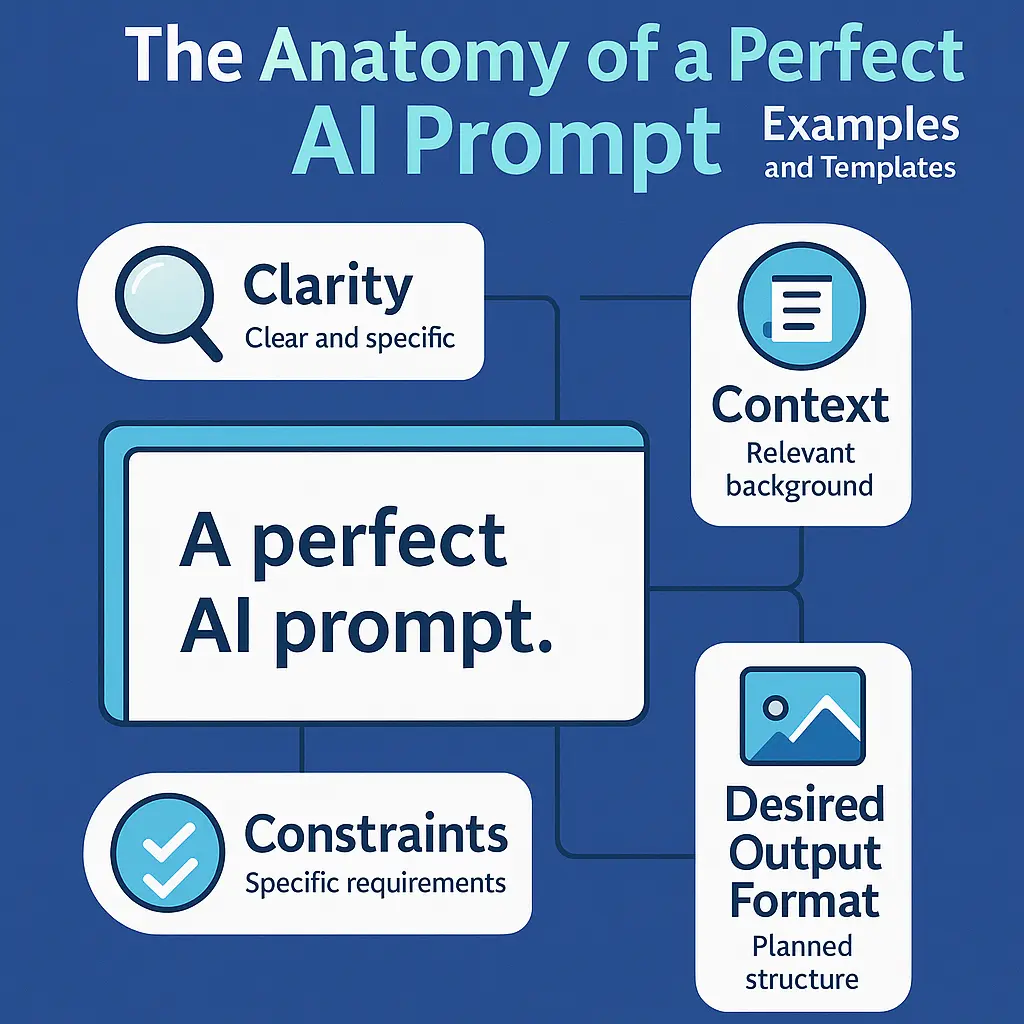
Let me show you what a perfect prompt looks like when you combine all these best practices. This is the kind of prompt I write now after learning from all those mistakes:
"Write a 400-word beginner-friendly guide titled 'How Machine Learning Works.' Explain the concept using simple language, include one real-world example, and format the content with H2 headings and bullet points."This is a perfect example of effective prompt optimization because it includes:
- Specific length: 400 words (clear constraint)
- Target audience: Beginners (provides context)
- Format requirements: H2 headings and bullet points (specifies structure)
- Content requirements: Simple language and one real-world example (sets expectations)
- Clear structure: Guide format with a specific title (defines output type)
When I use prompts like this, the results are consistently excellent. It's like night and day compared to my early attempts!
Conclusion
Looking back at my journey with AI prompts, I realize that every mistake I made taught me something valuable. Effective prompts are the foundation of successful AI interactions, and I learned that the hard way. By avoiding these common AI prompt mistakes and applying the AI prompt best practices I've outlined in this article, you can significantly improve the clarity, accuracy, and usefulness of your AI outputs—without going through all the frustration I did!
Here's what I want you to remember: better prompts lead to better results. Whether you're generating content, solving problems, or automating workflows, mastering prompt optimization will elevate everything you create with AI. I've seen it transform my own work, and I know it can do the same for you. Start applying these strategies today—and watch your AI responses transform from average to exceptional. Ready to put this into practice? Try our free AI prompt generator to create optimized prompts instantly and see the difference for yourself. Trust me, you'll wonder how you ever worked without these techniques!